

Today we want to get out of our usual tonic to analyze a hardware product. Specifically, it is the class N Wi-Fi Adapter manufactured by TRENDnet that is presented in the box as ‘TRENDnet Wireless N Gaming Adapter’, that is, a Wireless N device specially designed for online gaming. The box tells us that the adapter is compatible with Wii, Xbox, Xbox 360, PlayStation 2 and PlayStation 3. In my case, I am going to use it with an Xbox 360 console and with a desktop PC, to see how it behaves both times.
So, what we are going to assess is whether this Wi-Fi adapter is a viable alternative to the official Xbox 360 adapter and other similar solutions that circulate on the market. Likewise, since it is an adapter that supports Wireless N, it will also help us to amplify the signal if we have reception problems, for example, on the Wii, which has an integrated type G receiver.
Design
The first thing that surprises when opening the box is the small size of the device. It’s obviously not as small and compact as the official Xbox 360 adapter, but it’s certainly not big enough to be annoying or cumbersome either. You can get an idea of its dimensions in the photo that heads this post, in which the product appears connected to an Xbox 360 console.
Regarding the design of the product, it opts for the black color and a glossy finish, a design “trend” that is especially common in the finishing of electronic products in recent years that has only one drawback: it is a magnet for dust and fingerprints. fingerprints.
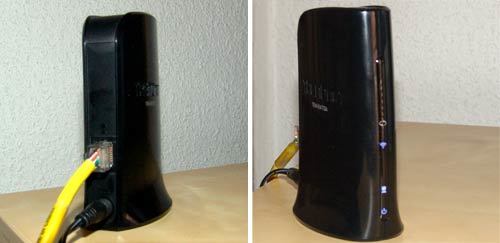
Otherwise, the finish is solid and the used plastic looks good quality. Simple lines are chosen, the only thing that draws the attention of the product is the elegant LEDs on the front that indicate the status of the connection. Simplicity also prevails at the back of the device, with only the space to connect the power cable and the Ethernet cable.
The last detail, much appreciated, is that it does not incorporate any of those ugly plastic antennas sticking out of the product, but everything is integrated into the housing. Let’s see how it behaves.
Setting
The adapter has two configuration modes: either via WPS , or manually. In WPS mode, the configuration is as simple as pressing the WPS button on the device and the button on our router also enabled for this purpose, so that both devices synchronize and “understand” each other. However, since not all routers have this function (and, in fact, those that ADSL operators usually give away in our country do not have it) in my case I have opted for manual configuration.
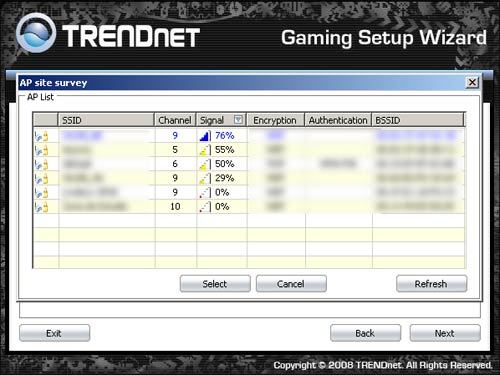
The main handicap of this product, for the lazy ones, is that said manual configuration that must be done through a Windows PC, since the CD-ROM included with the adapter only includes the software for said operating system. This wizard is quite simple to use, and in just five minutes I had my Wi-Fi adapter connected to the network and browsing without problems.
However, although it is not indicated in the quick installation guide, there is also the possibility of configuring the adapter through a web environment, directly accessing its IP (by default, 192.168.10.110), assigning “admin ”And leaving the password blank (or the password that we have defined). Through this web interface, therefore, it is possible to configure the device in any operating system.
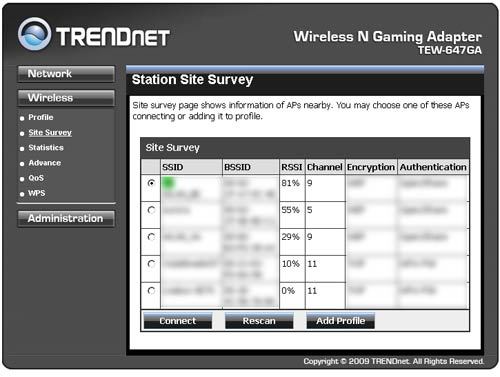
Finally, this adapter supports all current encryption modes, from weak WEP to WPA2 / AES , something that was otherwise to be expected. In this way, the most paranoid of security will not have problems connecting it to your network.
Connection tests
After the initial setup, it’s time to test the quality of the antenna thoroughly. Although at the time of connection a signal quality of 20% was indicated, the truth is that I have not noticed micro cuts or any type of incidence in normal navigation.
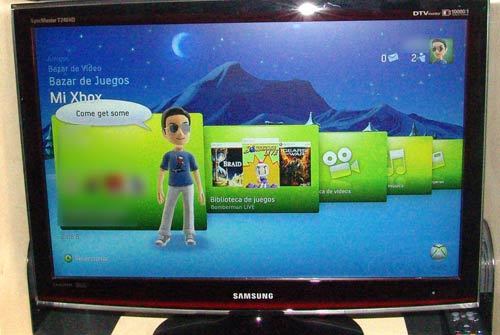
So, we unplugged the adapter from the PC and plugged it into the Xbox 360. By setting all the Xbox 360 network configuration settings to “automatic” (if you didn’t already have them), the connection from the console to Xbox Live is also done. without problems, as if we were connected by cable. Again, the only thing to comment on in this regard is that there is really nothing to comment on. The device works as expected of it, period.
But we can not leave the analysis like that, without more, without doing a thorough test to see why this device claims to be specific for gamers. So, let’s reconnect the Wi-Fi adapter to the PC, start a game and see what ping values we get. Although the ping is determined for the most part by the quality of our connection ( ADSL or cable) as well as the distance to the server and other external factors, the truth is that the fact of connecting by Wi-Fi instead of by Ethernet cable has also some influence on this fact.
The one chosen for the test will be ‘Left 4 Dead’. After launching the game I will connect to the best possible server on the list (the one with the least ping) and see what average ping values I get. The test method that I am going to use is simple: play three quick games and calculate the average ping obtained
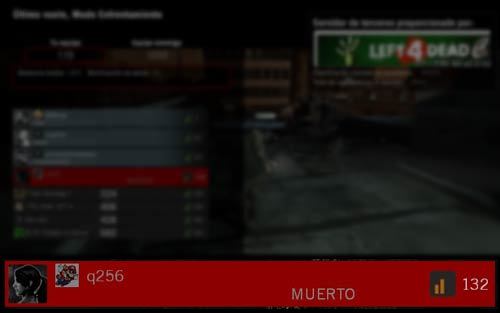
As you can see in the screenshot, the game was developed with an average ping of 130 ms , a fairly high ping but similar to the one I get by cable with my connection . For the curious, the tests have been done with a normal and current Telefónica ADSL , without fastpath and with a fairly normal speed of 3 Mbps / 320kbps. Go ahead, the quality of my ADSL connection in terms of latency is dire, so I must admit that the difference between using the TRENDnet Wi-Fi adapter or the cable connection does not particularly affect the gaming experience.
To be even more precise with the comparison, I am going to make a new comparison (again three quick games, calculating the average ping) but using another device with Wireless capabilities. In this case, I will use a Macbook as my particular “Wi-Fi antenna”. For the comparison to be carried out on equal terms, the Macbook will only act as an antenna, connected to the same desktop PC that will be the one that runs the game. Let’s see if the ping from the Macbook’s Airport wireless card is better or worse than TRENDnet’s “dedicated” gaming adapter:
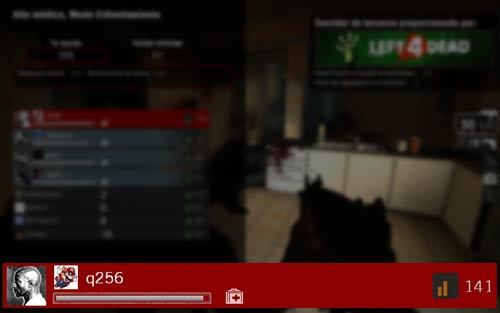
Although the ping values obtained with the laptop were sometimes better than those obtained with the Wi-Fi adapter, the truth is that there were many more micro-cuts that threw me from the server on more than one occasion. All this happened with both devices (laptop and TRENDnet antenna) placed exactly on the same table, so the signal that both received should be very similar. Of course, I should also point out that the laptop’s antenna is much more “powerful” than that of the TRENDnet Adapter and receives much more signals and with greater intensity.
Regarding the TRENDnet Wi-Fi adapter, although the box indicates that it is a specific device for “gaming”, this is a marketing move focused on highlighting that its design integrates especially well with the latest generation consoles, especially with PlayStation 3. The device itself has no influence on latency, since this is something that depends exclusively on the router. However, the truth is that the stability of the connection with this Wi-Fi antenna is very good, as I have already said, without micro-cuts that interrupt the action.
Thus, the results of the TRENDnet Wi-Fi Adapter are very similar, in terms of signal quality, to those of other Wi-Fi antennas in the upper-middle range, and clearly superior to those of cheaper solutions such as Wi-Fi antennas. -Fi USB which, on the other hand, are the ones used by many users on their PC since they are usually given in a kit together with the wireless router.
Conclusions
In conclusion, this is an interesting product for those looking for a way to connect a desktop PC or a console via Wi-Fi. In PC, the quality of the connection is much higher than what we can obtain with other devices. And as for the consoles, without having tried the official Xbox 360 adapter, I opted for TRENDnet’s because of a fundamental advantage of it: its price, of about 60 euros, compared to the 80 euros on average that the official adapter costs. for Xbox 360.
And that without forgetting, of course, that this antenna can be used in all kinds of devices with an ethernet port. In my case, most of the tests have been carried out on PC, obtaining a much higher connection stability, as I have already mentioned, than those of the Wi-Fi USB adapters or even that of some wireless PCI cards. It is true that the price is higher than that of these solutions, but we are also facing a more versatile product that we can easily transport anywhere.
However, if latency worries you especially and you have the possibility of connecting your console or PC by cable to the router, know that the quality of the connection will always be “slightly” better this way. Although the truth, the fact of gaining a few milliseconds does not compensate the fact of having to wire the whole house, in the event that your router is far from your play area.
Fact sheet TRENDnet TEW-647GA